Combine Images
Combine Images https://help.heredis.com/wp-content/themes/corpus/images/empty/thumbnail.jpg 150 150 Heredis Help Knowledgebase https://help.heredis.com/wp-content/themes/corpus/images/empty/thumbnail.jpgGenealogical records are often two pages long, so scanning them will generate two images in your genealogy file.
Heredis offers a quick and easy way to combine them into a single image.
Note: This feature only allows you to combine images, such as JPGs, PNGs, etc. It does not support PDF files, which are not images.
Media Index
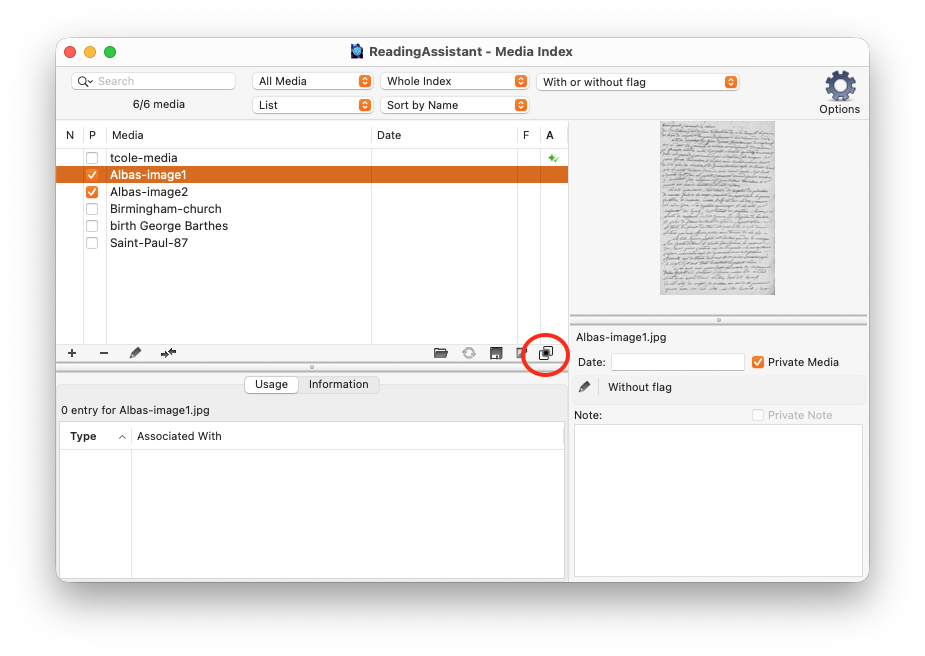
In the Media Index, select the first image and click the button Combine into a single image.
In the window that appears, select the second image and click Choose.
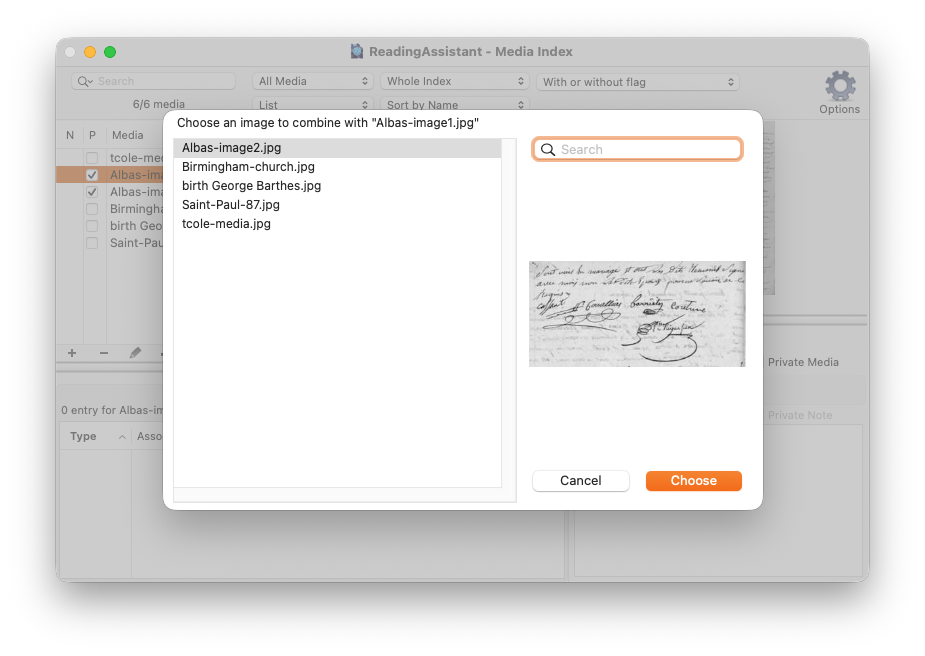
Heredis is asking you to confirm this action. Accept and your two images will instantly be combined into a single image.
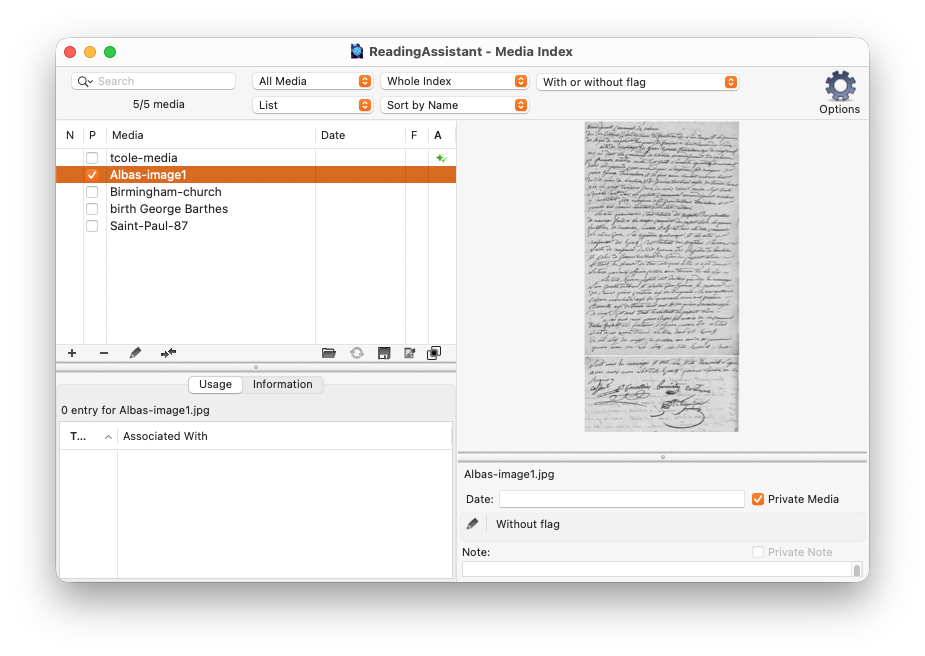
It only took you a few seconds.
Of course, you can repeat this step if you want to combine more than two images.
Photo Tool
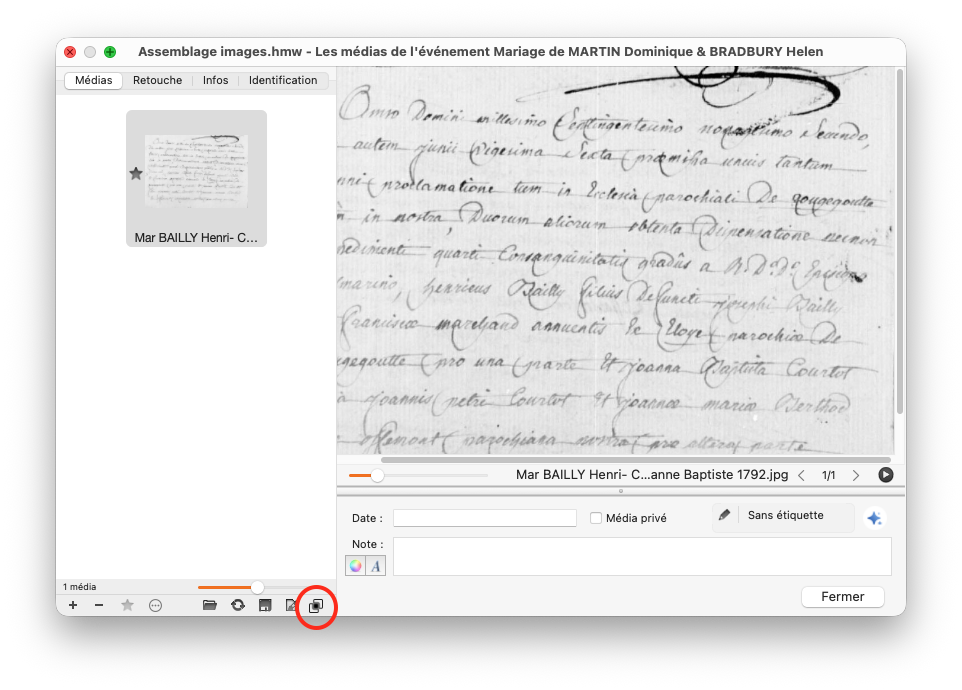
You can follow the same steps in the Photo Tool, for example, using media from an event.
Online Archives
When you capture multiple pages from the Online Archives, you can combine them right away.
Here are two captures from the same act.
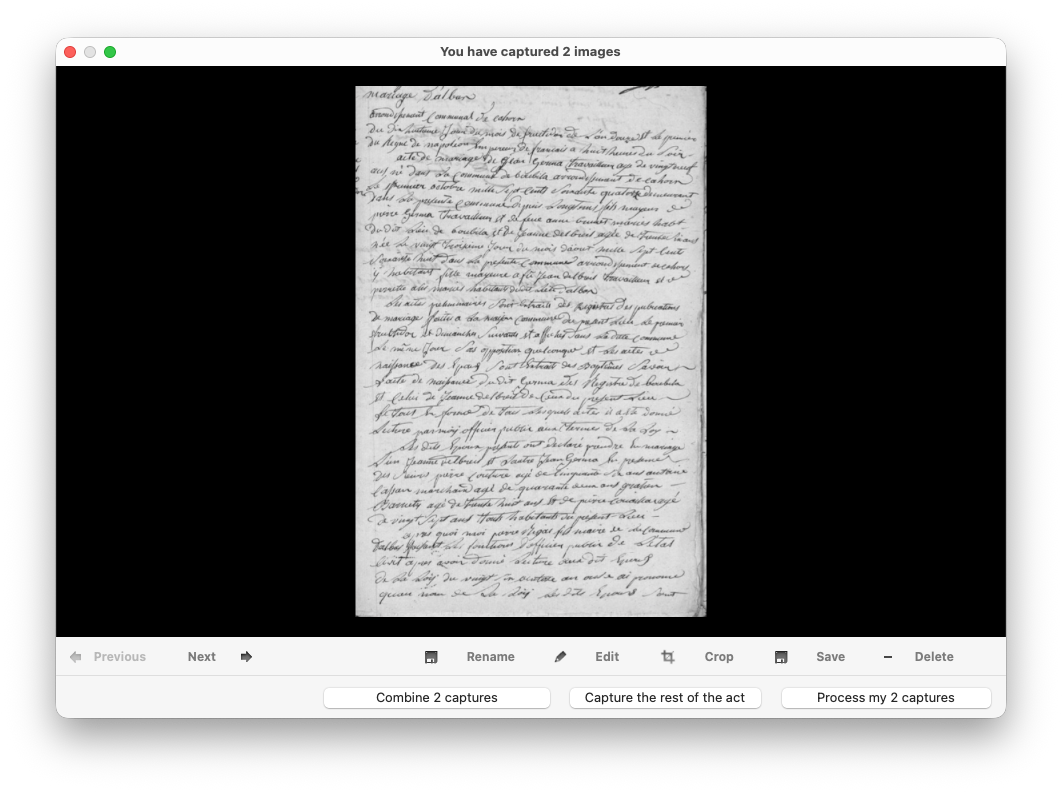
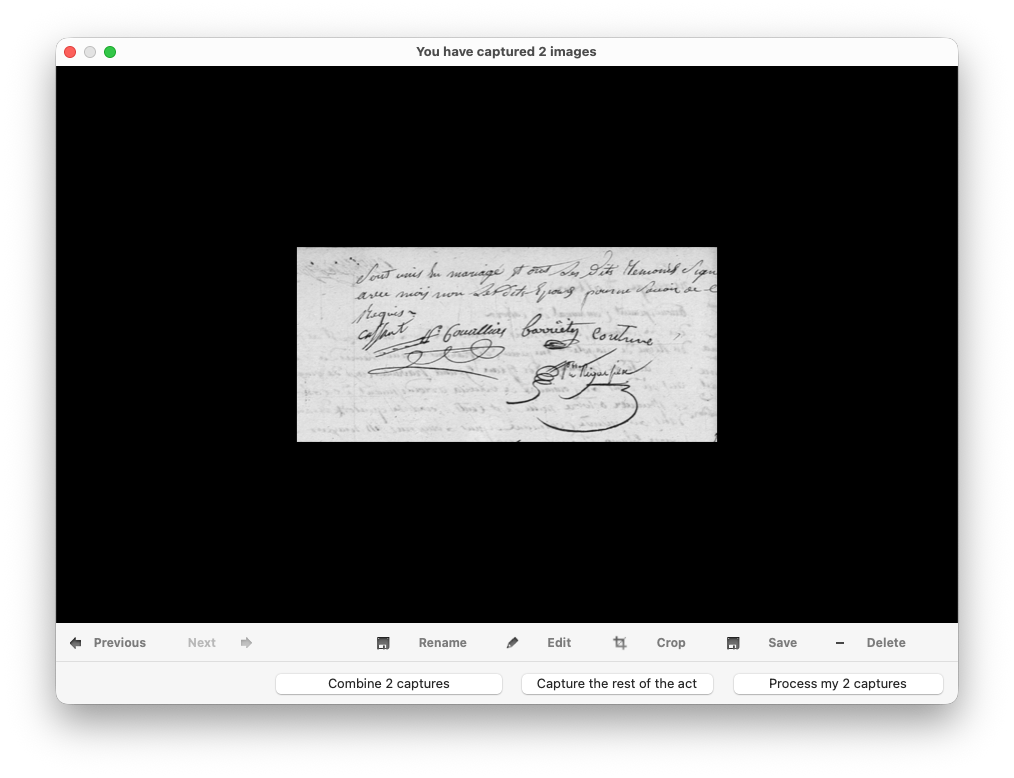
Cliqk the Combine 2 captures button o instantly combine them into a single image.
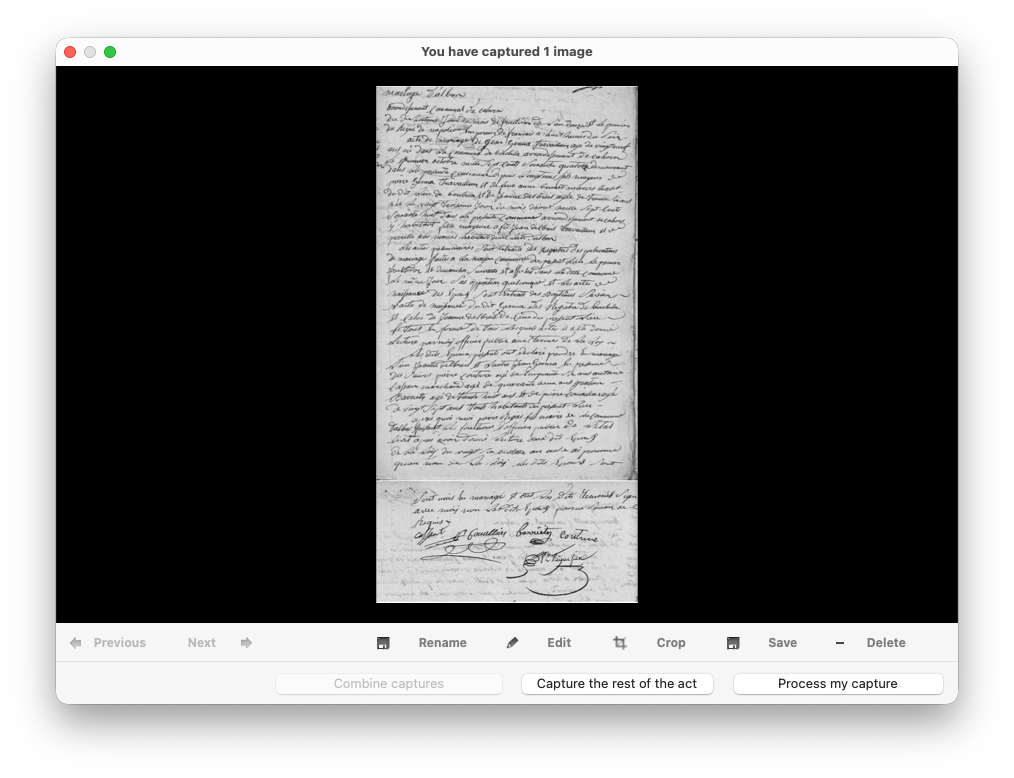
You can then process your capture as you normally would in the Online Archives.