Genealogical Controls
Genealogical Controls https://help.heredis.com/wp-content/themes/corpus/images/empty/thumbnail.jpg 150 150 Heredis Help Knowledgebase https://help.heredis.com/wp-content/themes/corpus/images/empty/thumbnail.jpgAs we continue to enter our data, our family trees can easily become cluttered with duplicates, persons who are unrelated to the rest of the family tree, incomplete or duplicated data, and so on.
The purpose of this tool is to help you identify all these potential anomalies or gaps so that you can address them.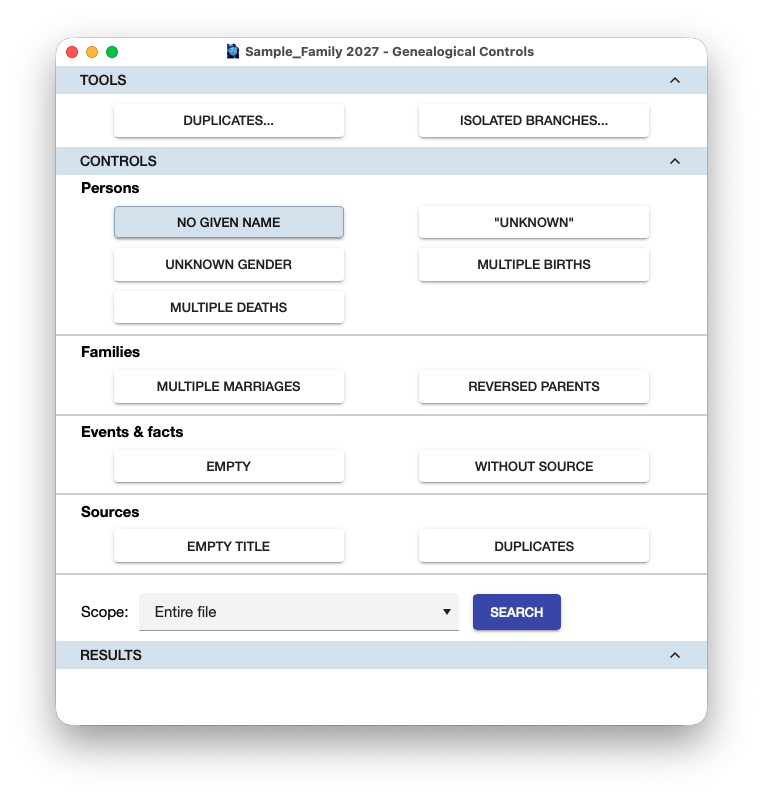
Tools

For this search, Heredis offers two dedicated features, which you can access directly from this window:
– Duplicates: to identify people who have been created multiple times in Heredis, often as a result of an import or a merge.
– Isolated Branches: to identify groups of people who are in no way connected to the direct line, as well as isolated individuals—that is, those not connected to any other individual.
Click one of the two buttons to open the selected feature in a new window.
Controls
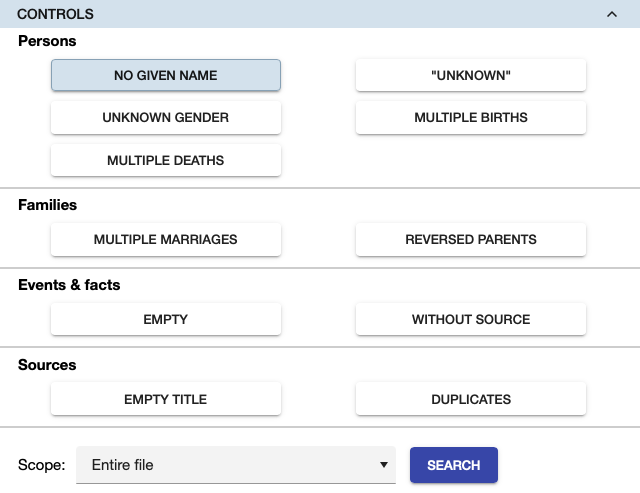
Heredis offers various types of checks to identify potential errors that we have regularly found in our own family trees or those of our users.
Select the control you’re interested in.
Scope: You can limit the search to the direct-line ancestors or to the central person’s ascendants or descendants, as well as to the results of a previous Smart Search if you’ve performed one.
Click on Search.
Results
Heredis displays the results based on the selected filter: persons, events and facts, or sources.
Here are two examples.
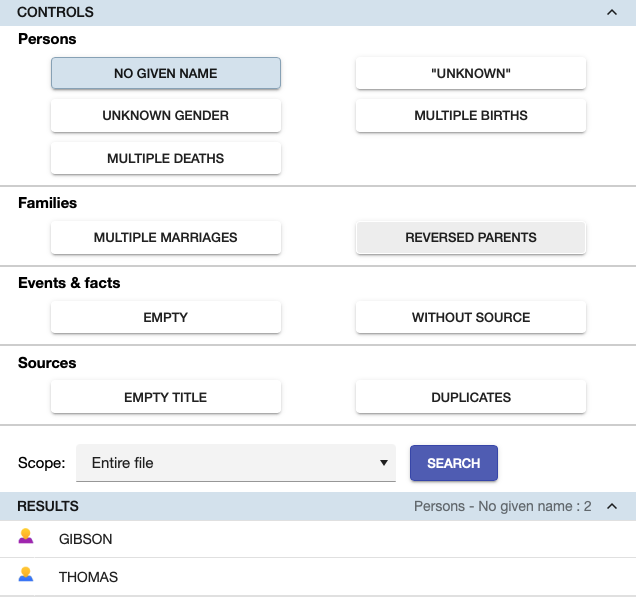
Persons – No Given Names
Our genealogy contains 2 people with no given names: Ms GIBSON and Mr THOMAS.
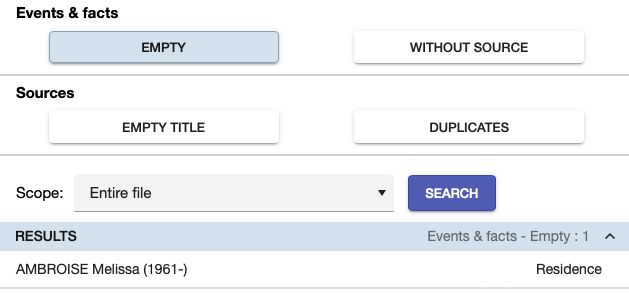
Events & facts – Empty
All the results displayed are events or facts with no information provided: no date, no location, etc.
Navigation
To check a source, clicking on a result opens the Sources Index.
For other checks, Heredis navigates to the relevant person, couple, or event in the main window.
Note: You can keep the genealogy checks window open and browse through your family tree to review and, if necessary, correct any errors that have been identified.
Actions

Using the CSV and EXCEL buttons, you can export the list of results to print it or edit it in an external editor.
In some cases, such as the second example above, Heredis displays a Delete button to allow you to directly remove items you consider unnecessary.