


Export a GEDCOM from Heredis Android
Export a GEDCOM from Heredis Android https://help.heredis.com/wp-content/themes/corpus/images/empty/thumbnail.jpg 150 150 Heredis Help Knowledgebase https://help.heredis.com/wp-content/themes/corpus/images/empty/thumbnail.jpgUse this function to send your file from Heredis Android to another solfware you own, or to someone using a solfware other than Heredis.
- Launch Heredis on your Android device.
- Open the genealogy to be exported.
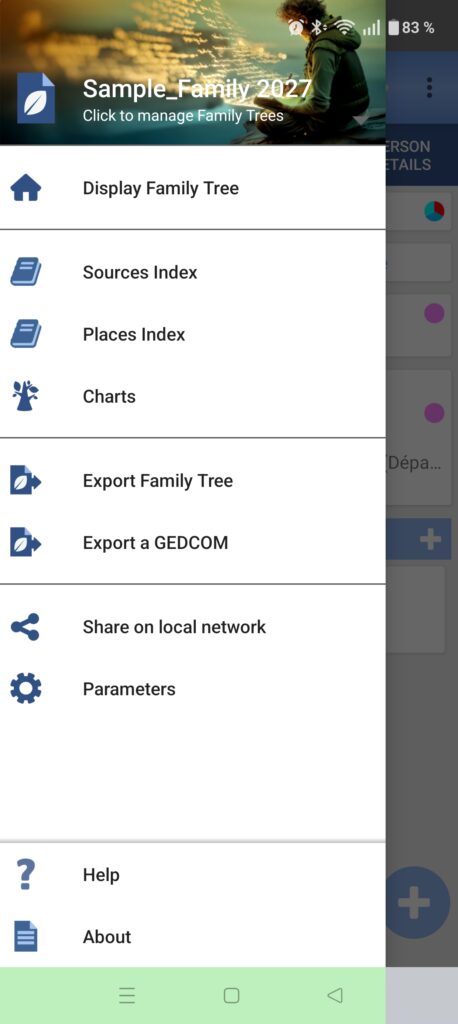
- Select the burger menu (the three horizontal lines on upper-left corner):
- Select Export a GEDCOM
- Click on Continue.
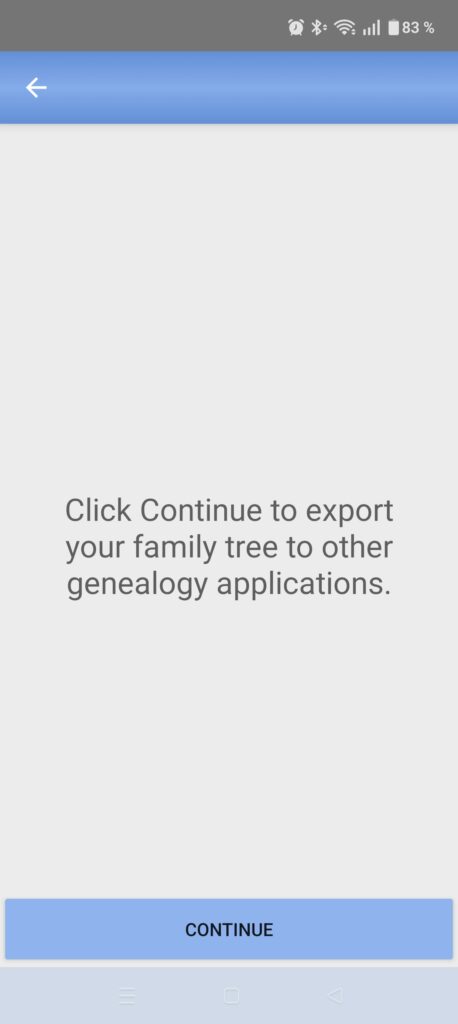
- Choose where to save the exported file (Note: Do not try to save it directly to Google Drive. Save it locally first, then move the file to Google Drive or send it via email).
- When the export is complete, click the back arrow in the upper-left corner of this window to return to your family tree.
To open this file with Heredis Mac or Windows, see the articles Create a new genealogy from a GEDCOM 5.5.1 or Import a GEDCOM 5.5.1 into an existing file.
To open this file with Heredis iOS or Android, see Open a genealogy on Heredis Android created on another device or Open a genealogy on Heredis iOS created on another device.