Consistency Control
Consistency Control https://help.heredis.com/wp-content/themes/corpus/images/empty/thumbnail.jpg 150 150 Heredis Help Knowledgebase https://help.heredis.com/wp-content/themes/corpus/images/empty/thumbnail.jpgThis tool is primarily used to check for inconsistencies in the dates entered in your family tree. For example, a person might have an event that occurred before their birth.
It allows you to run a search for inconsistencies in all or part of your family tree. It also lets you flag certain inconsistencies so that Heredis will ignore them during a future analysis.
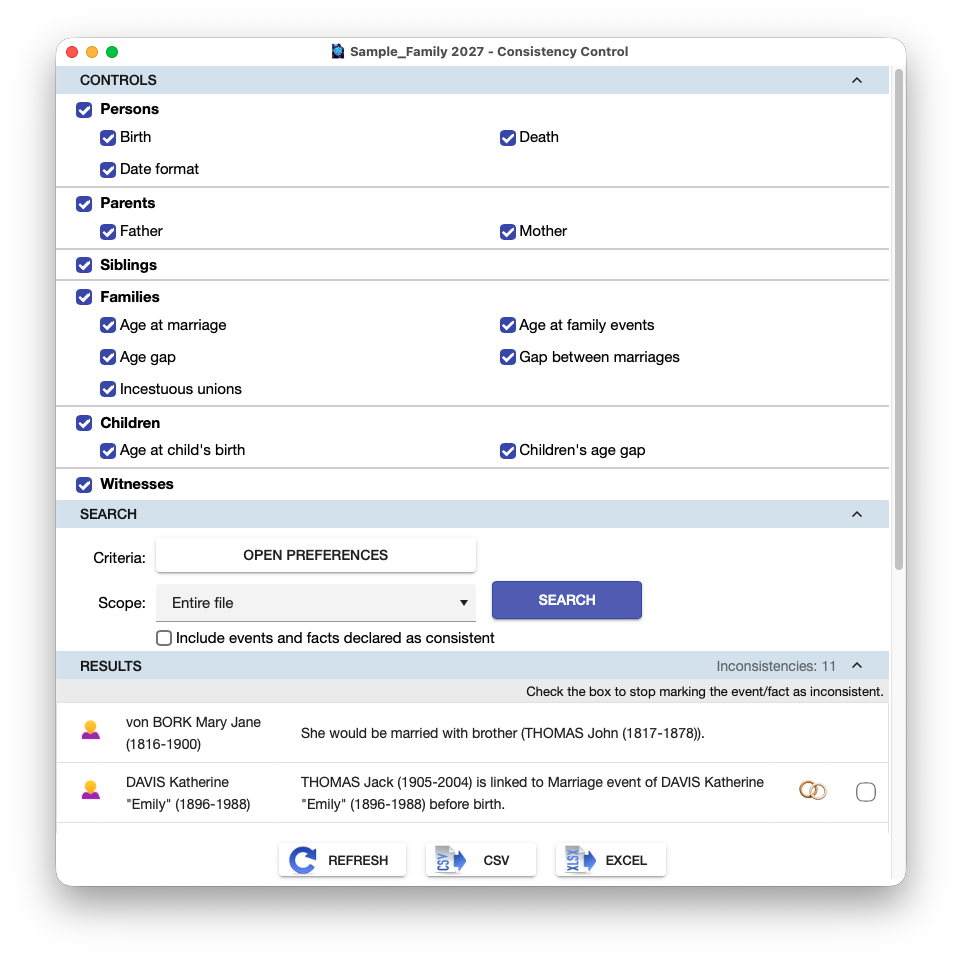
Controls
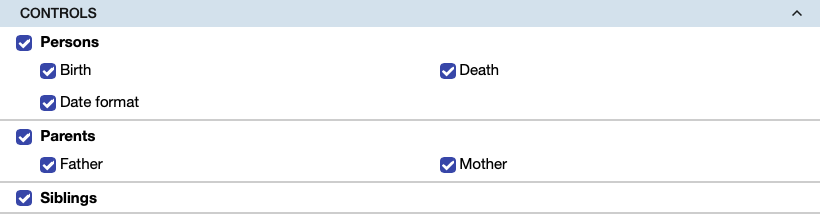
Heredis offers various types of consistency checks.
In addition to date checks, you’ll see a check for incestuous marriages; this check does not use dates but rather the type of family relationship between the two spouses.
Uncheck certain boxes to avoid performing a full check.
This allows you to focus on specific types of checks. Since the scan can take a long time for large files, this also allows you to break the check down into several steps.
Search

Criteria: To verify dates, Heredis uses the application’s consistency preferences. These are set by default in Heredis, but you can change them as you wish.
Click the “Open Preferences” button to set them according to your choices.
Scope: You can limit the search to the direct-line ancestors or to the central person’s ancestors or descendants, as well as to the results of a Smart Search if you’ve performed one previously.
By default, Heredis will not display events that you have marked as consistent. If you want to see them, check the box labeled “Include events and facts marked as consistent”.
Click on Search.
Results
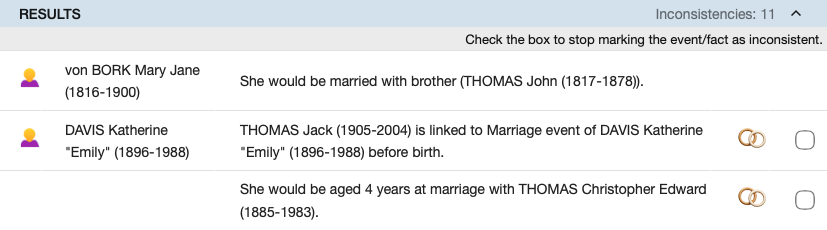
Heredis displays all the inconsistencies it has detected.
You can choose to keep the consistency check window open while browsing your file to review and, if necessary, correct the detected inconsistencies.
Clicking on a line displays the Heredis main window and navigates to the corresponding event.
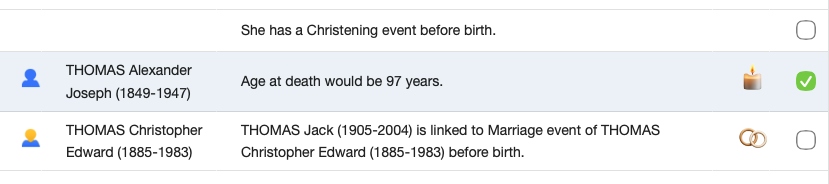
For each event, there is a checkbox. If you believe the suggested inconsistency is unfounded, check this box, as shown below, for example, to indicate that the “Death of Alexander Joseph THOMAS” event is consistent in your view.
Heredis will then no longer suggest it during the next analysis.
Using the CSV and EXCEL buttons, you can export the list of results to print it or edit it in an external editor.

Note: For details on the feature that displays inconsistencies in the main person, see “Main Person Consistency”.